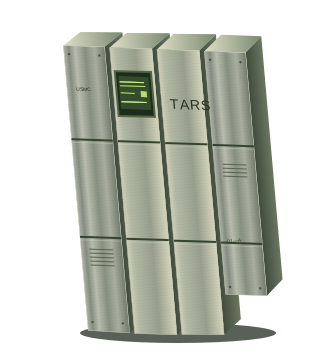
TARS, a broad four-column articulated steel robot
THE HEAVY LABINTERSTELLAR / 10
A COMPANION BEYOND EARTH

TARS.

Four columns of steel.
One hell of a personality.

01 / ENDURANCE

Some company.
At the edge of everything.

Observation deck · Gargantua approach

STANDBYLOADING UNIT
YOUR CREWMATE IS READY.
MAKE YOURSELF AT HOME.

Scene preferences.

Pauses ambient movement and shows the final pose of each demonstration.

A lighter rendering mode for smaller devices and quieter fans.

Original ship hum, wind, water and mechanical cues. Enable sound with the music-note button. Sound starts off on every visit.

RENDERER / STARTING

Only scene preferences are saved in this browser. This web experience has no AI chat or microphone access. The environments are original visual interpretations, not film footage or live telemetry.

TAKE A LOOK AROUND.

At your controls.

Orbit the robot
Drag the scene, or focus it and use the arrow keys.
Reset the camera
Press Home while the scene is focused.
Watch it move
Wake TARS unfolds the columns. Traverse demonstrates weighted steps. Inspect turns the chassis. Stop sequence interrupts any demonstration.
Let the scene fill the room
Cinema mode clears the titles and download panel. The scene controls stay within reach.
Make it quieter
Pause scene motion below, or use reduced motion and lower effects in preferences.
FROM THE SCREEN TO YOUR CREW.

The desktop edition.

The same cinematic TARS, with real local AI conversation, adjustable personality, saved chats and local voice output on Windows and Mac.

  1. Prepare your computer.Install Ollama and download a model. Mac requires macOS 13.5 or newer. The included Setup helper installs a verified Node runtime when needed; first setup requires internet.
  2. Extract the complete ZIP.Keep the files together in a writable folder. Read the included platform guide and run Setup TARS. Mac packages are unsigned test releases; physical Mac testing is pending.
  3. Launch TARS.On Mac, open Launch TARS.command. On Windows, open Open TARS.cmd. Keep Ollama running and choose an installed model. Mac supports typed input and installed voice output; Windows also offers its existing local dictation.

The desktop app connects to Ollama on your own computer. This website has no access to your model, files or microphone. Text chat remains available when speech is unavailable.

Previous Windows v2.0 download